Posters and covers
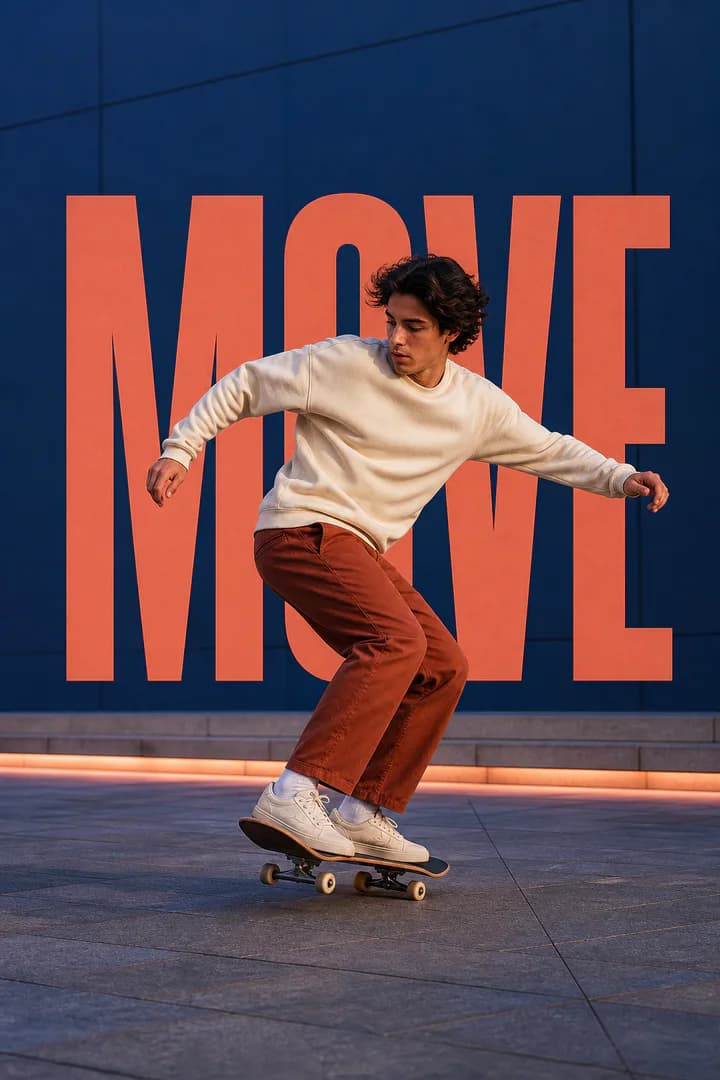
Layer a strong title behind a person or object for a poster-like composition.
Free · Private · Browser-based
Create layered posters, thumbnails, and social graphics without uploading your photo. Add text, position it, and export a finished PNG.
Upload an image
Add a browser-readable JPEG, PNG, or WebP image with a clear main subject.
Images stay on your device
First design? Your browser downloads AI model assets to identify the subject. Your image itself stays on your device.
01
Add a browser-readable JPEG, PNG, or WebP image with a clear main subject.
Enter your words, then adjust their size, color, position, and spacing on the canvas.
Local AI creates the subject layer so the text can sit behind it, then you download a PNG.
02
Layer a strong title behind a person or object for a poster-like composition.
Build readable thumbnail text that feels integrated with the subject rather than pasted on top.
Create launch, event, and quote graphics with a clear visual hierarchy.
Add magazine-inspired typography to portraits, products, and travel photos.
The image, mask, and text composition are created locally in your browser. Only the AI model assets are downloaded; your photo is not uploaded to us for editing.
03
Yes. You can create and export the effect without signing up, paying per image, or receiving a watermark.
No. Your browser downloads the AI model assets it needs, then processes the photo locally on your device.
Local AI builds a mask for the main subject. The editor places your text between the original background and that foreground subject layer.
Use common browser-readable JPEG, PNG, or WebP images. A sharp photo with one distinct subject gives the clearest effect.
The browser must first download and prepare the AI model assets. Speed varies by browser and device.
The completed text-behind composition is exported as a PNG. Fine hair or glass may need correction in another editor if the mask is not exact.
Choose the output format, quality and maximum dimensions before processing.
Cut out the main subject with browser-based AI.
Limit width or height without enlarging the original.
Reduce PNG size while keeping transparency.
Create compact, web-ready WebP images.
Choose a photo, layer your message, and export a polished PNG.